


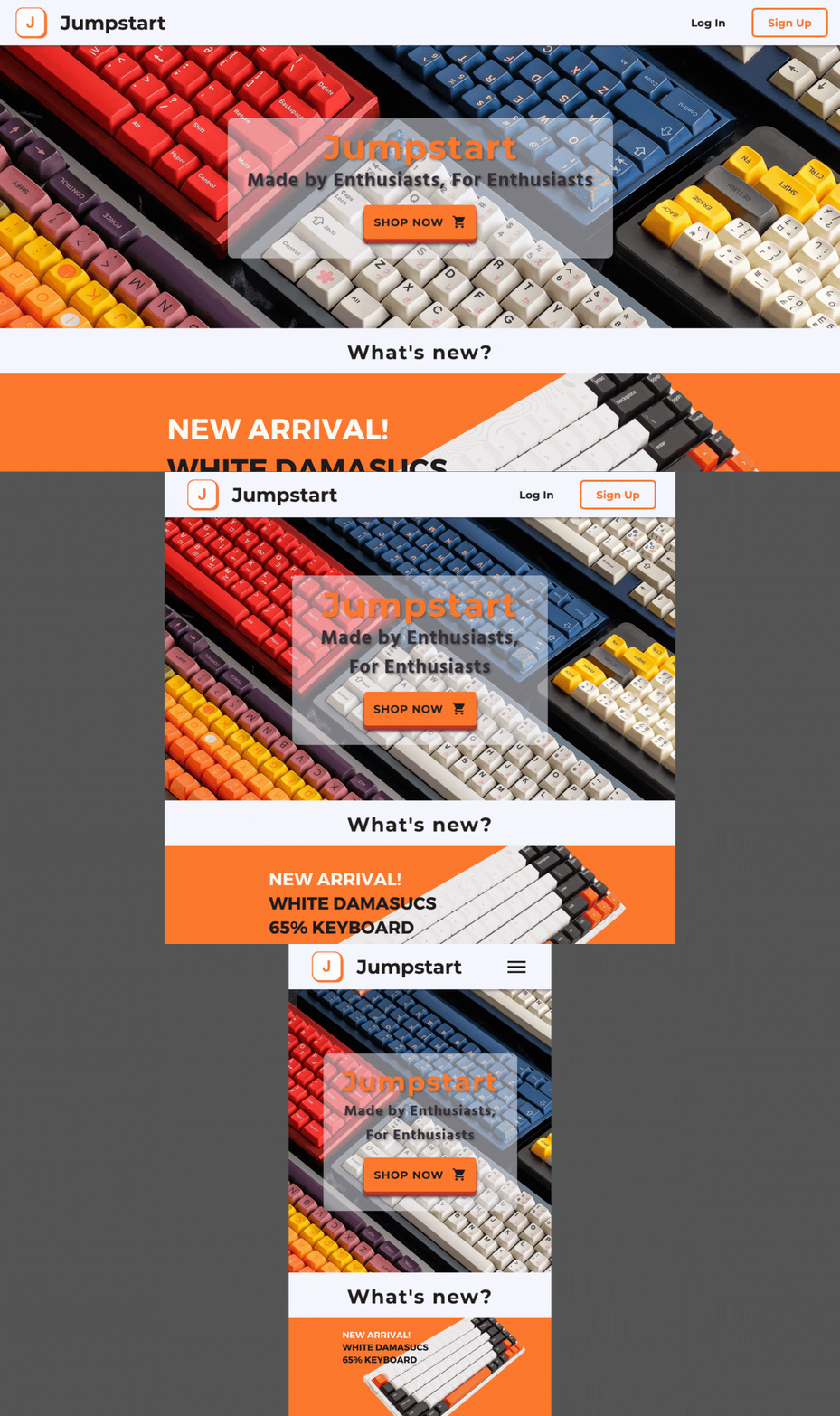
Responsive Design
The Jumpstart website can adjust to different screen sizes ranging from desktop all the way to mobile.
Jumpstart is an ecommerce platform that sells enthusiast grade products consisting of premium computer accessories. Users are able to purchase products from the website, while staff members manage the orders and administrators manage the users but also have access to staff permissions.
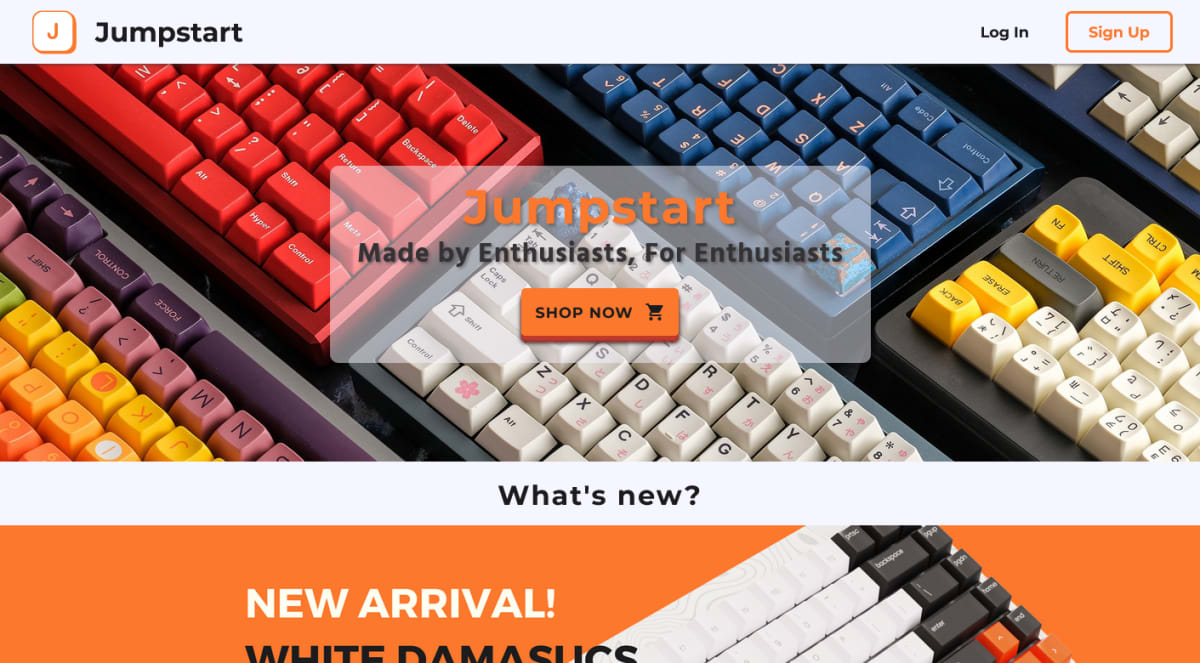
The Jumpstart website can adjust to different screen sizes ranging from desktop all the way to mobile.
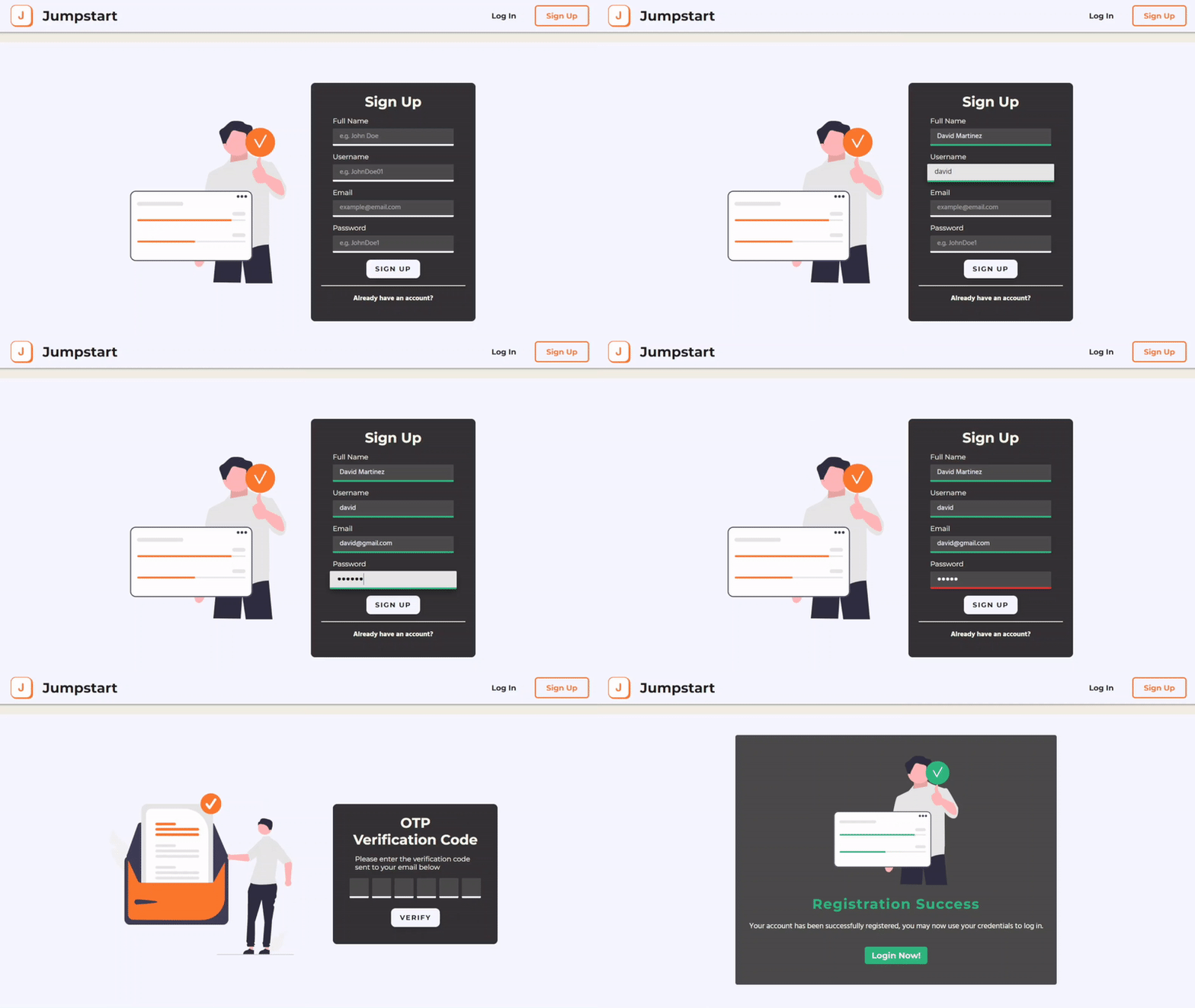
Users will be required to confirm their email address with an OTP code before they can login with their registered credentials.
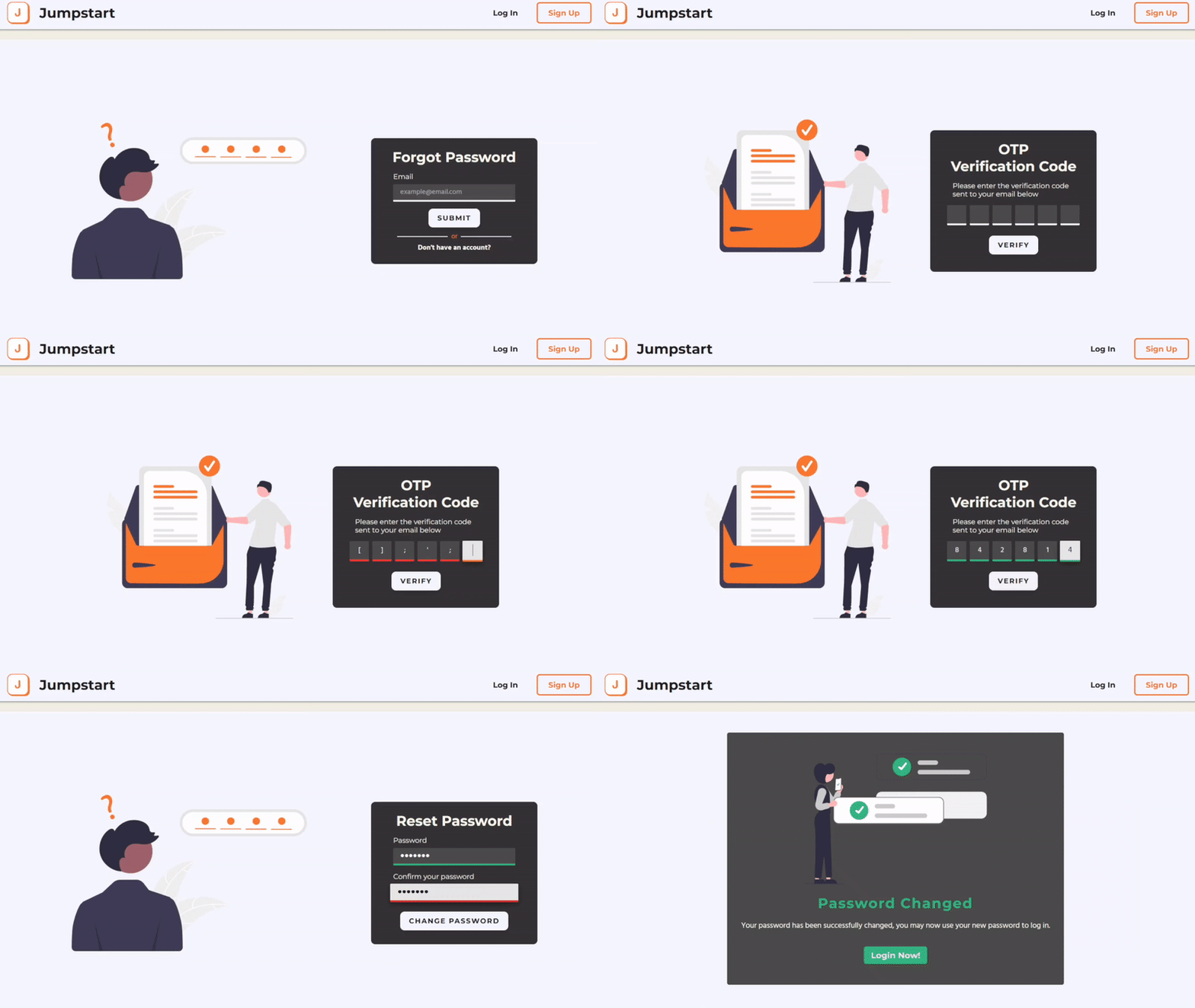
Users are able to request to change their password and an email will be sent containing a One-Time-Pin code to verify their identity
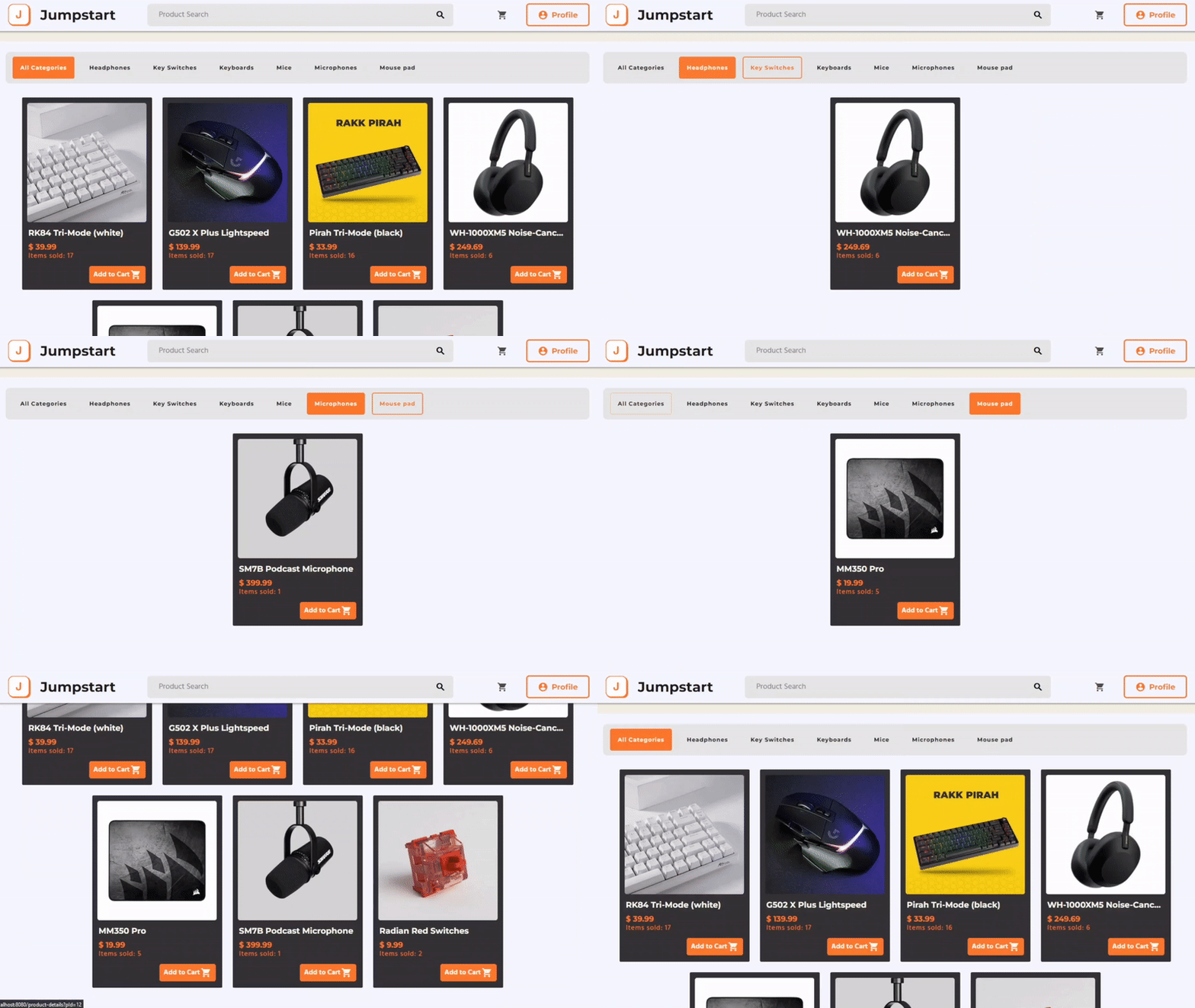
Cards of Jumpstart products with dynamic categories.
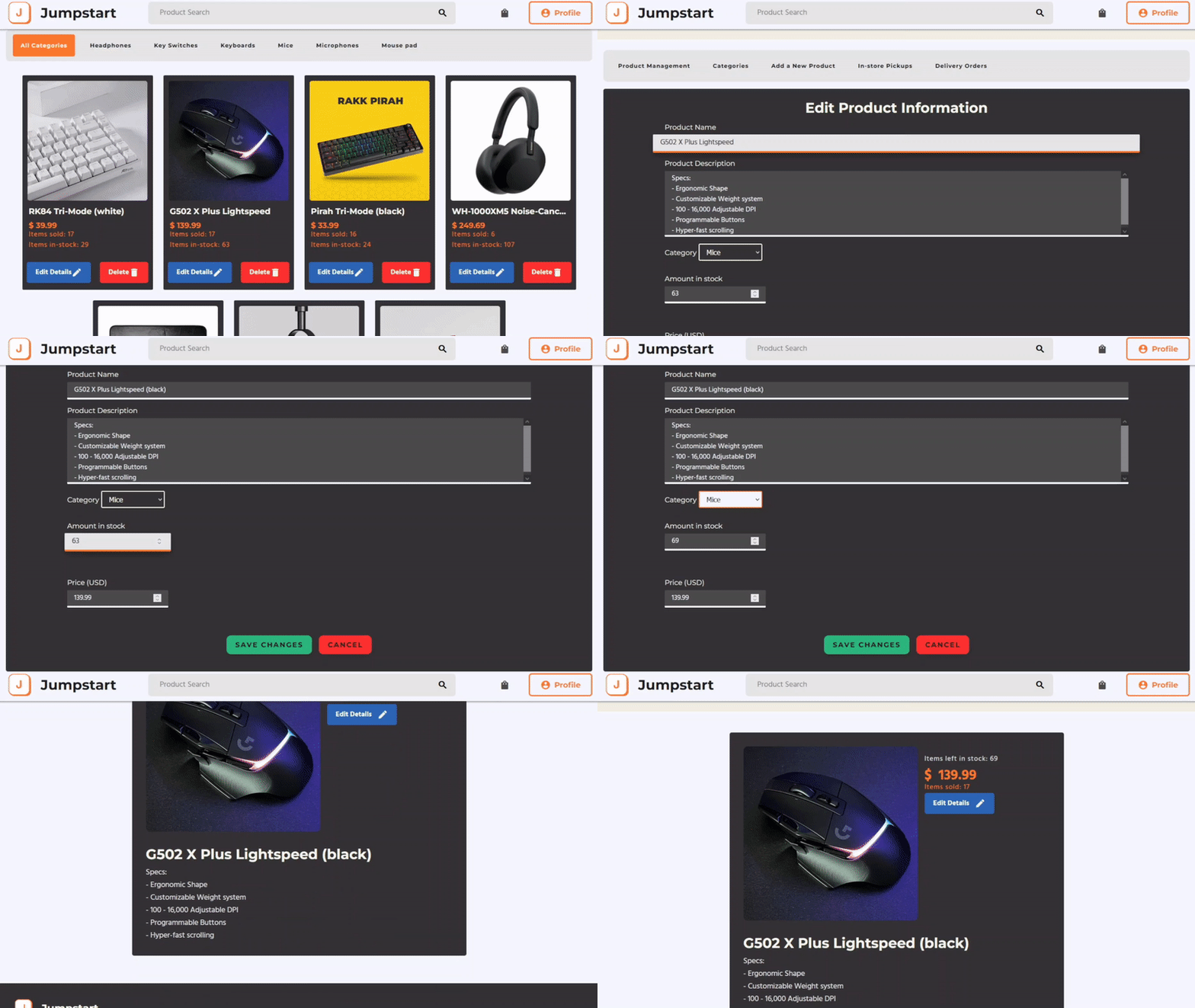
Staff members are able to view or delete products from the website
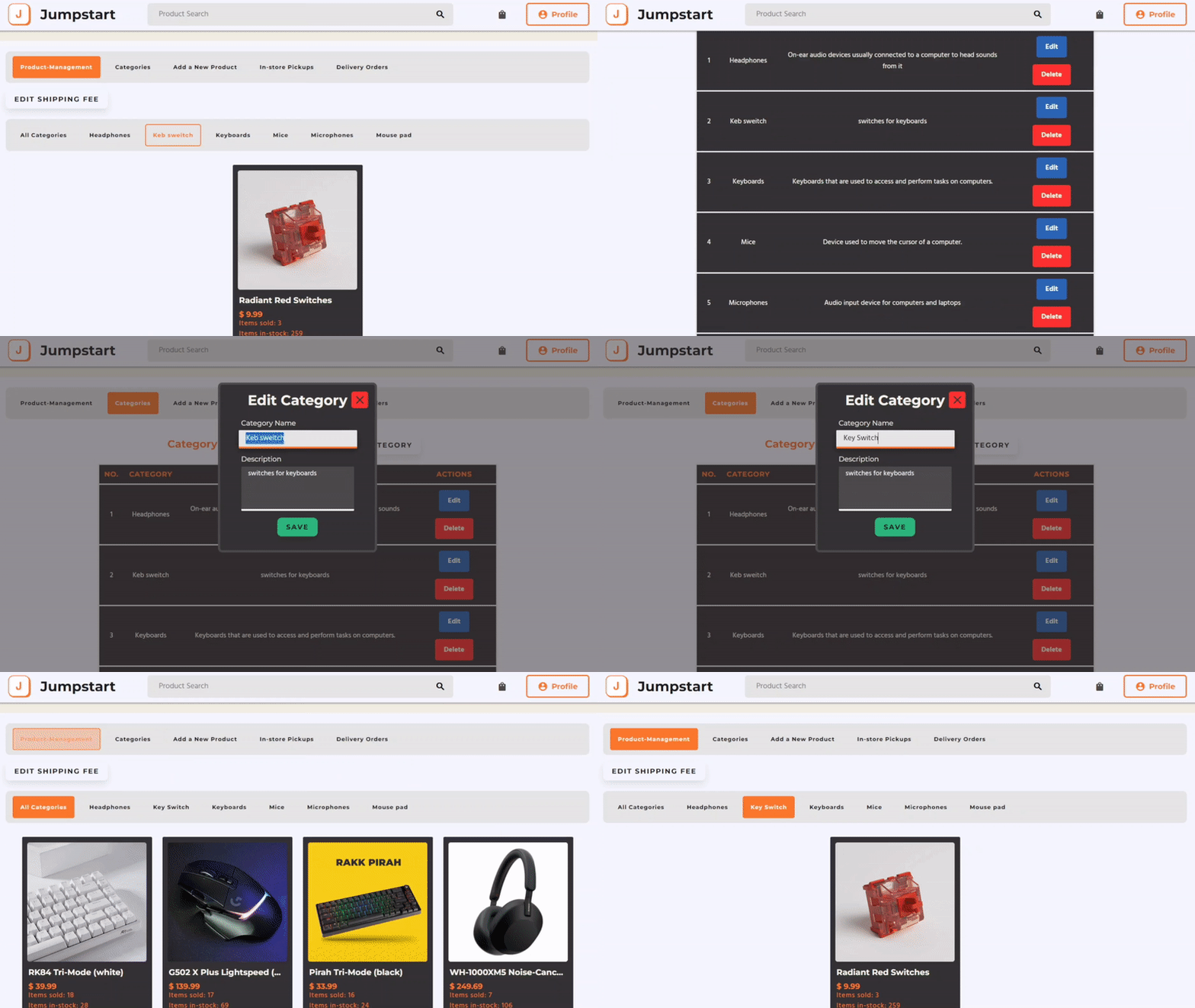
Staff memebrs can edit information about categories.
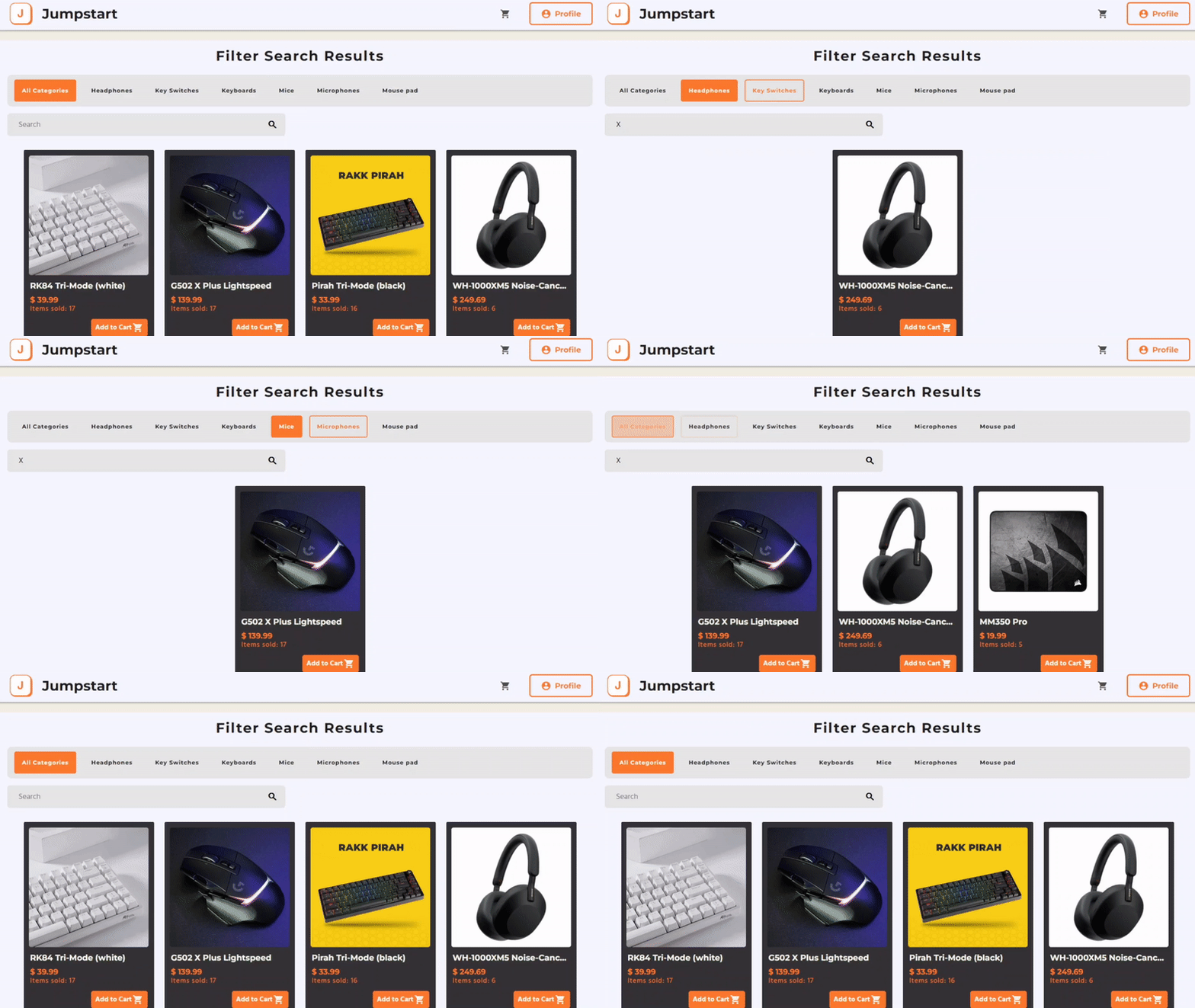
All user types are able to access the filtered search function on Jumpstart
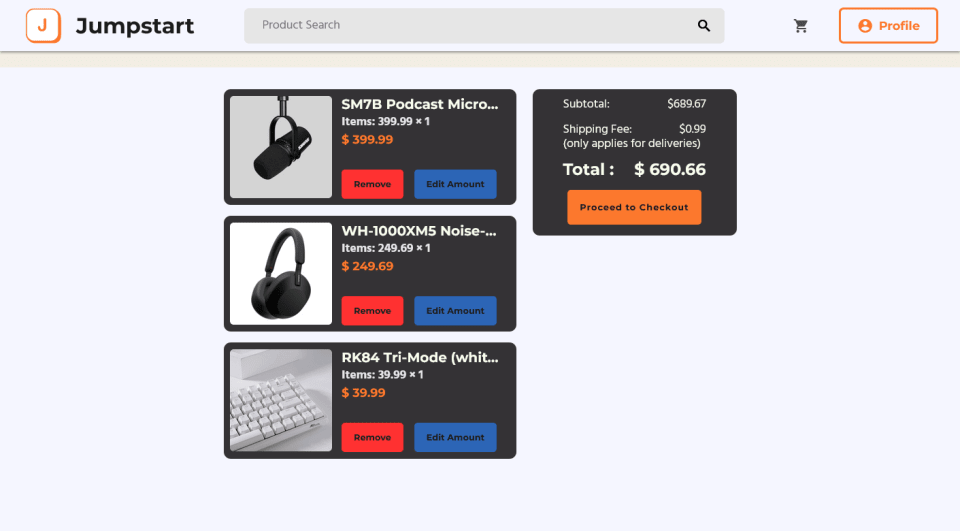
Users are able to add items to their cart, and edit the amount or remove an item. This page also displays the total price of the items in the cart
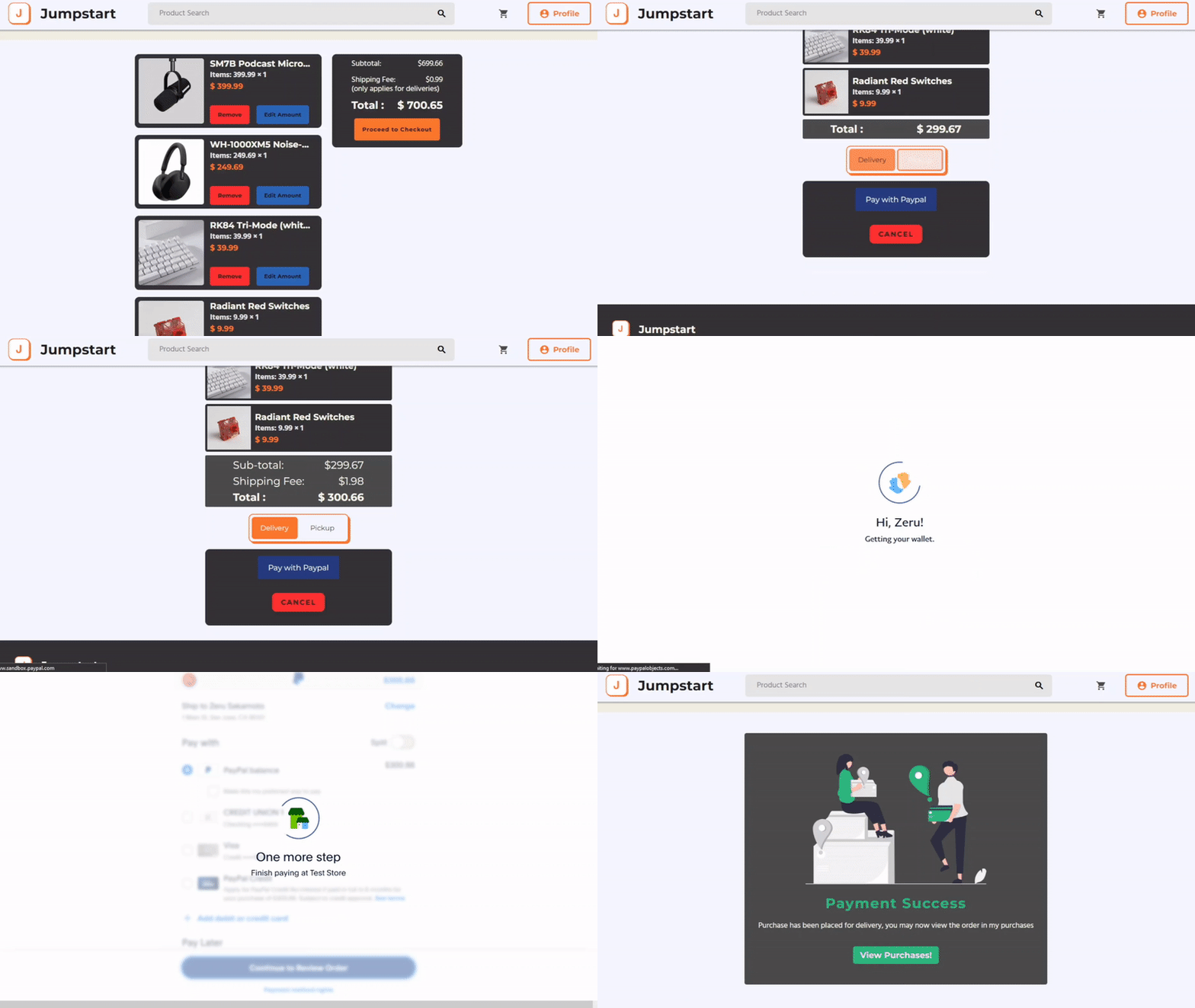
Users are shown a summary of their purchase and get to select which method they would prefer; delivery or in-store pickup. Their payment is handled by the Paypal API
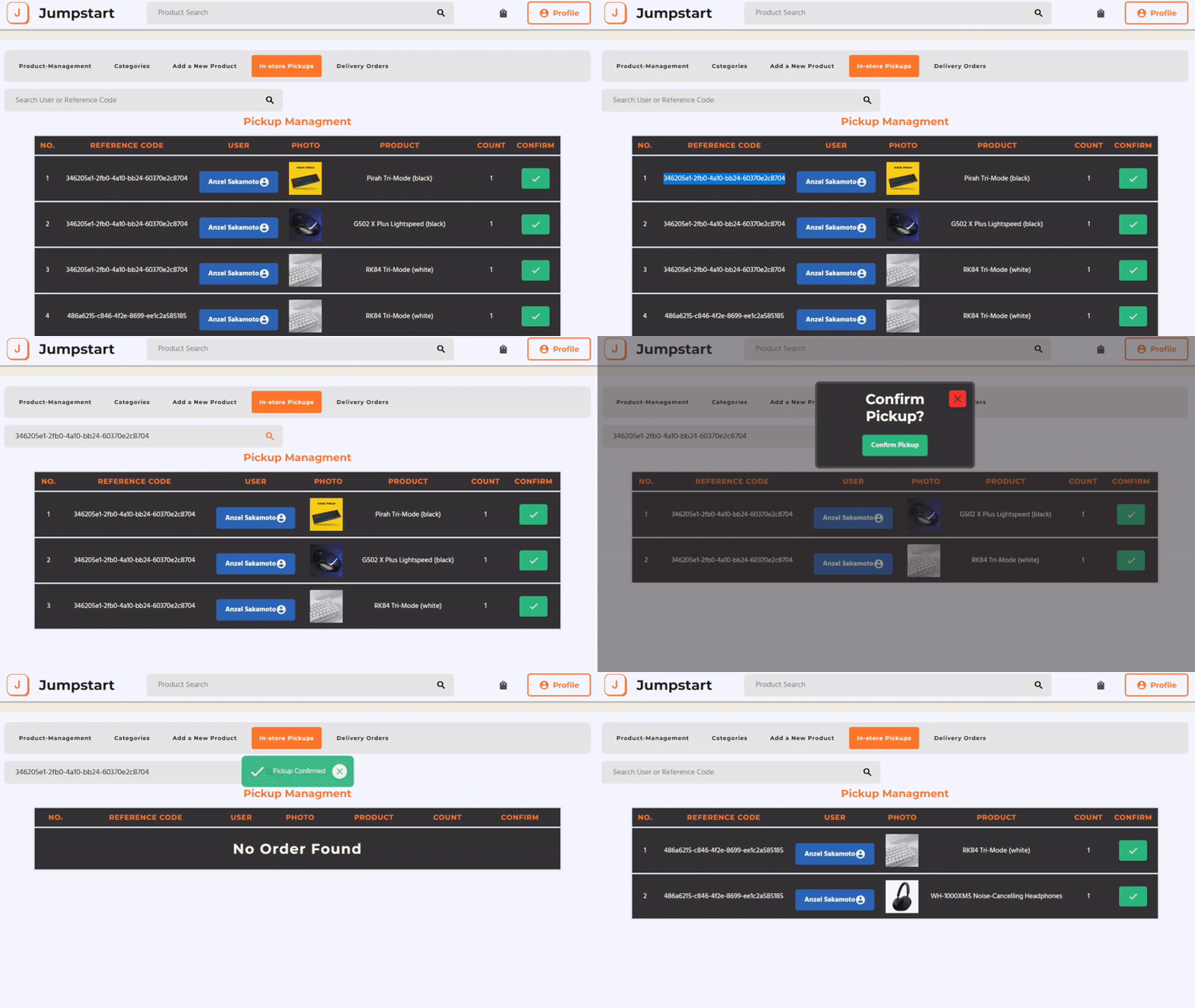
Staff members are able to confirm purchases of users on delivery or on pickup.

Users can view their completed purchases and search for its details.
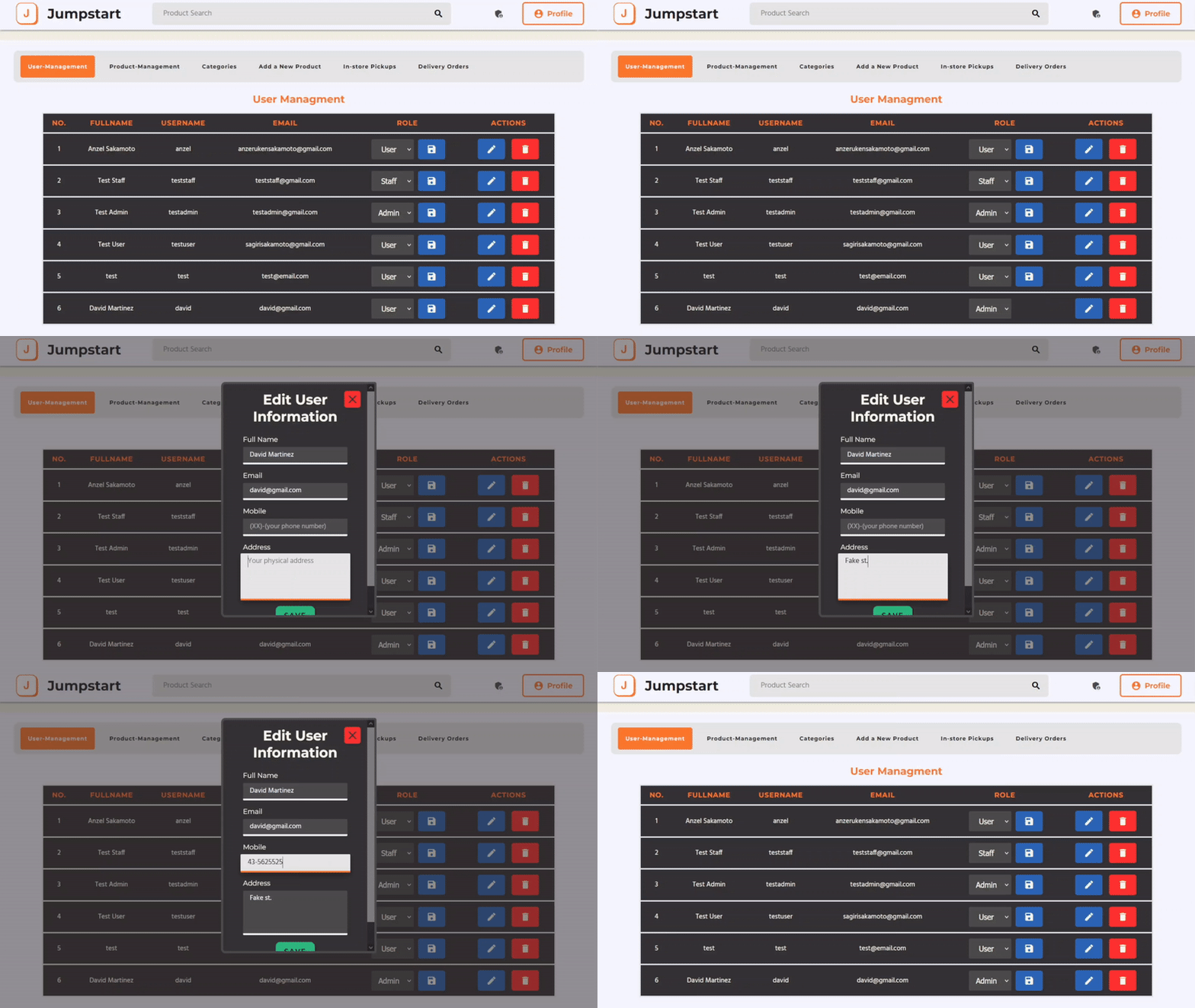
Administrators are able to view, edit, assign user roles, or delete users from the website.